Badge
Content
Introduction
A badge is a visual indicator used to display categories, use cases, or additional information, as well as numeric values such as discounts.
Variants
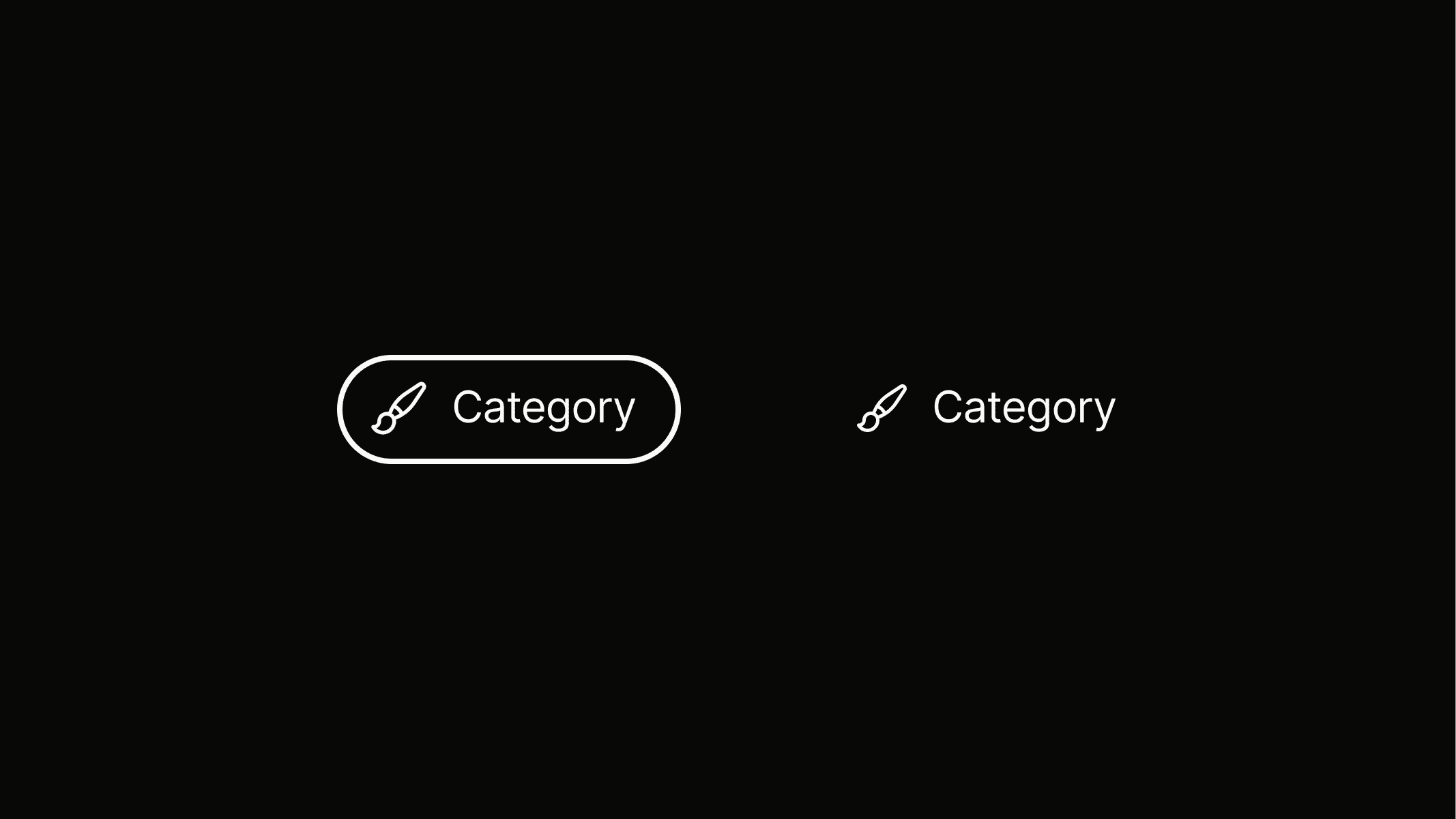
There are two badge variants: badge.pill for a highlighted appearance and badge.ghost for a more subtle look.
Design
badge.pill
Pill
Badge.pill is a highlighted variant that can be used when there is enough space, for example on detail pages to display verification periods or discount types.
Design
badge.ghost
Ghost
Badge.ghost consists of text and an icon only, without a background or outline. It is mainly used in layouts where space is limited, such as within card elements.
Sizes
Badges come in different sizes to support visual hierarchy and allow precise placement within layouts.
Design
badge.pill.l
badge.pill.m
Design
badge.pill.s
Design
badge.ghost.l
Design
Design
badge.ghost.m
badge.ghost.s
Design
Anatomy
Lorem ipsum dolor sit amet, consetetur sadipscing elitr, sed diam nonumy eirmod tempor invidunt ut labore et dolore magna aliquyam erat, sed diam voluptua. At vero eos et accusam et
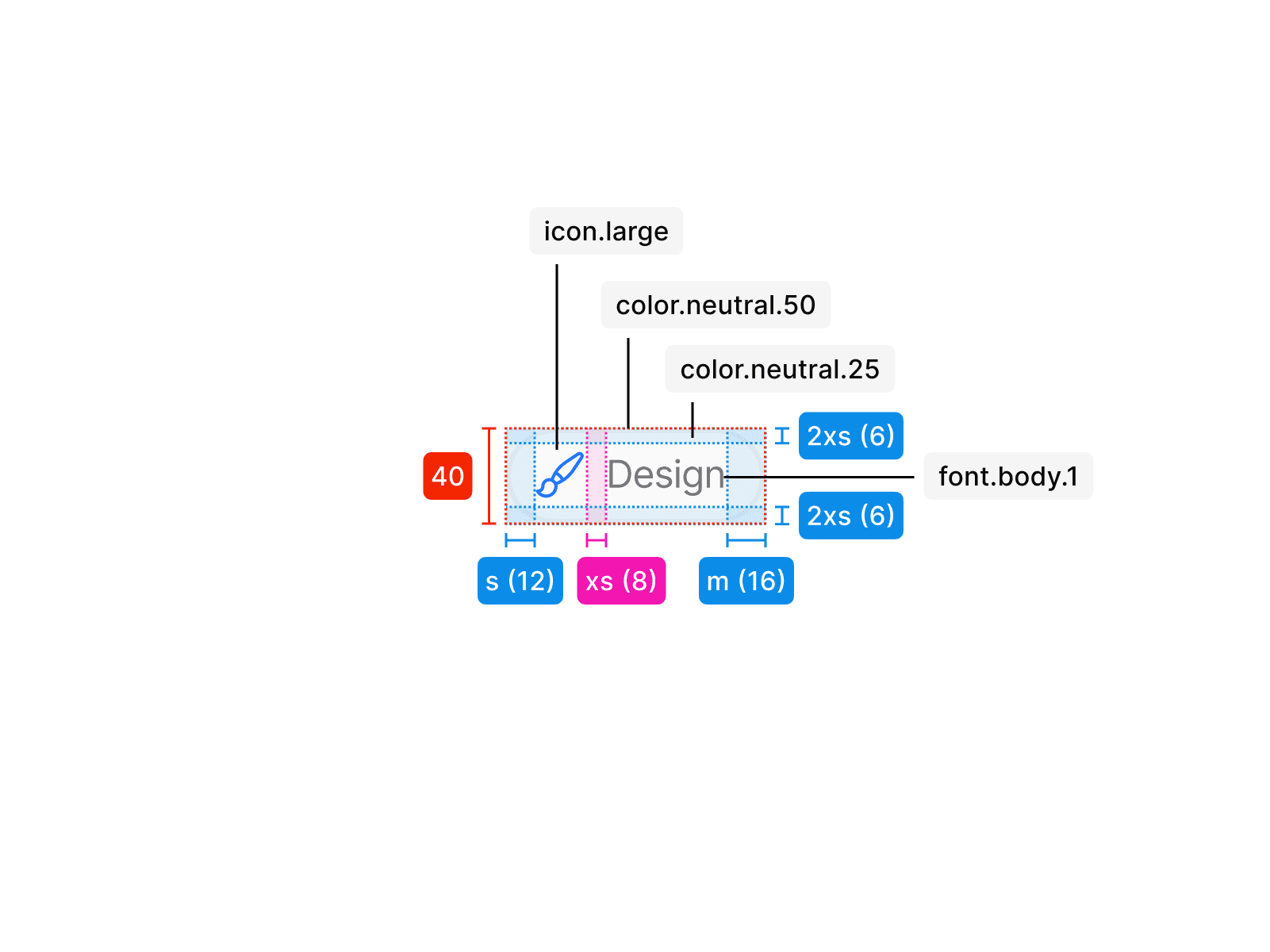
Badge Pill L
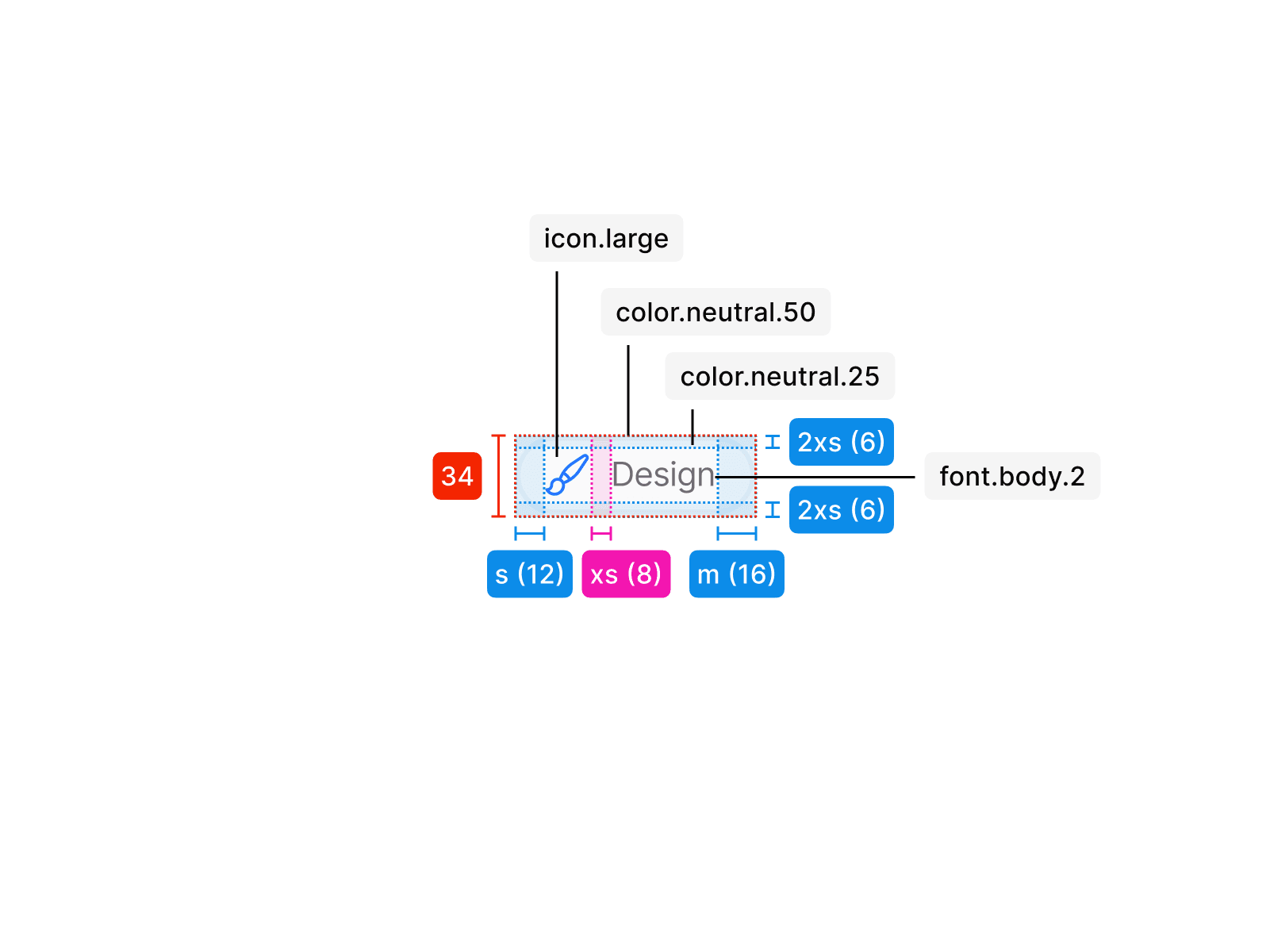
Badge Pill M
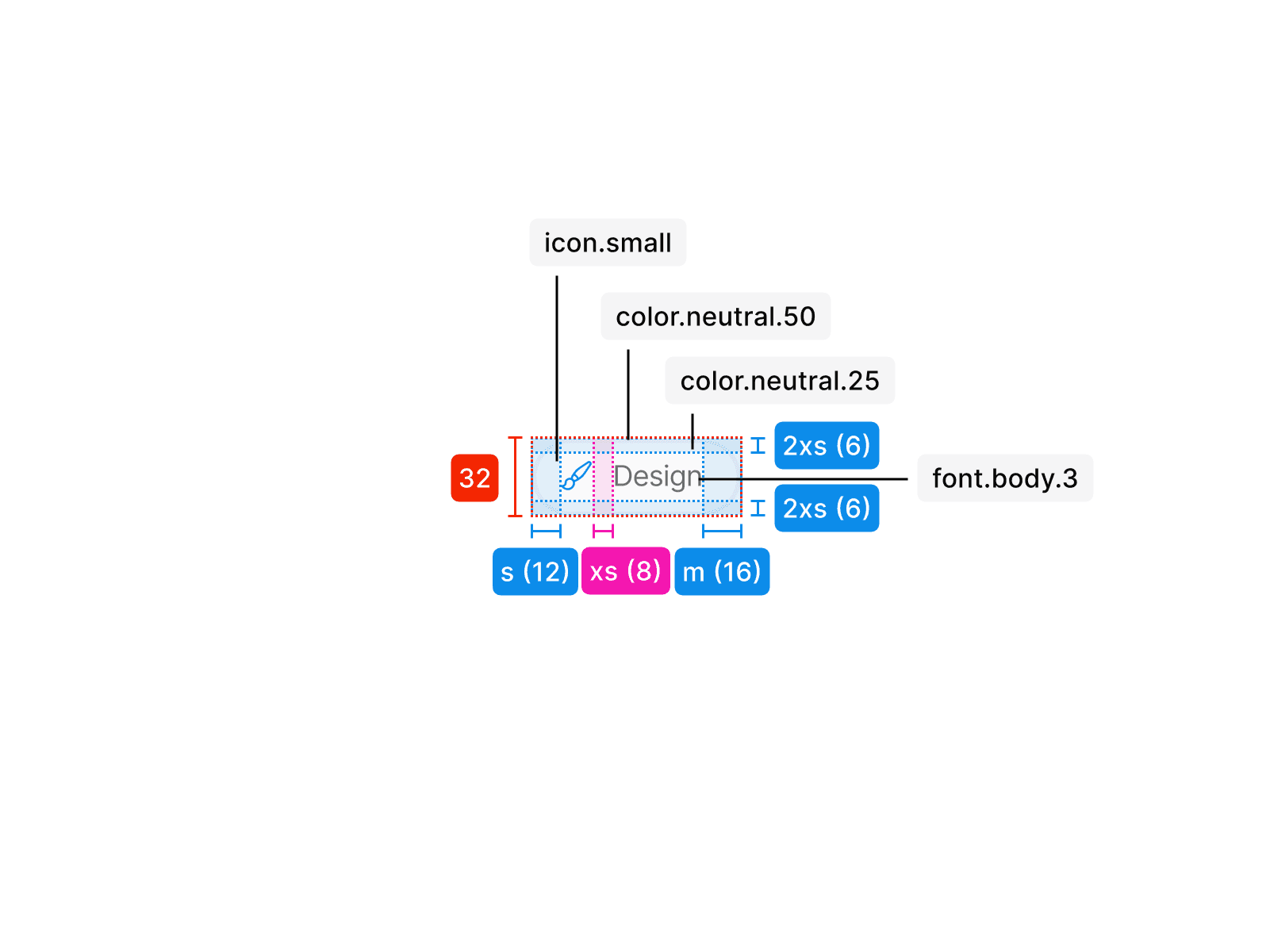
Badge Pill S
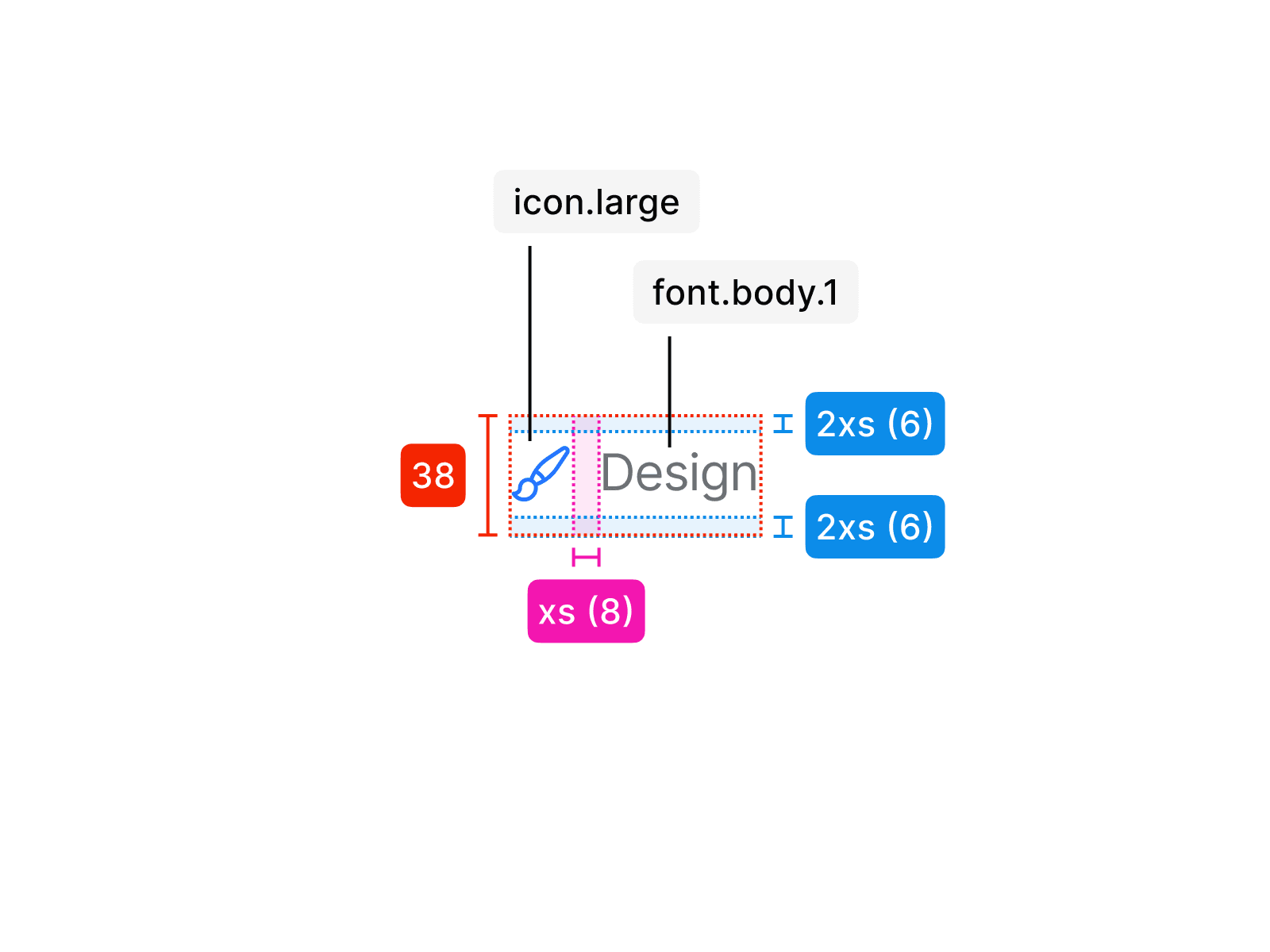
Badge Ghost L
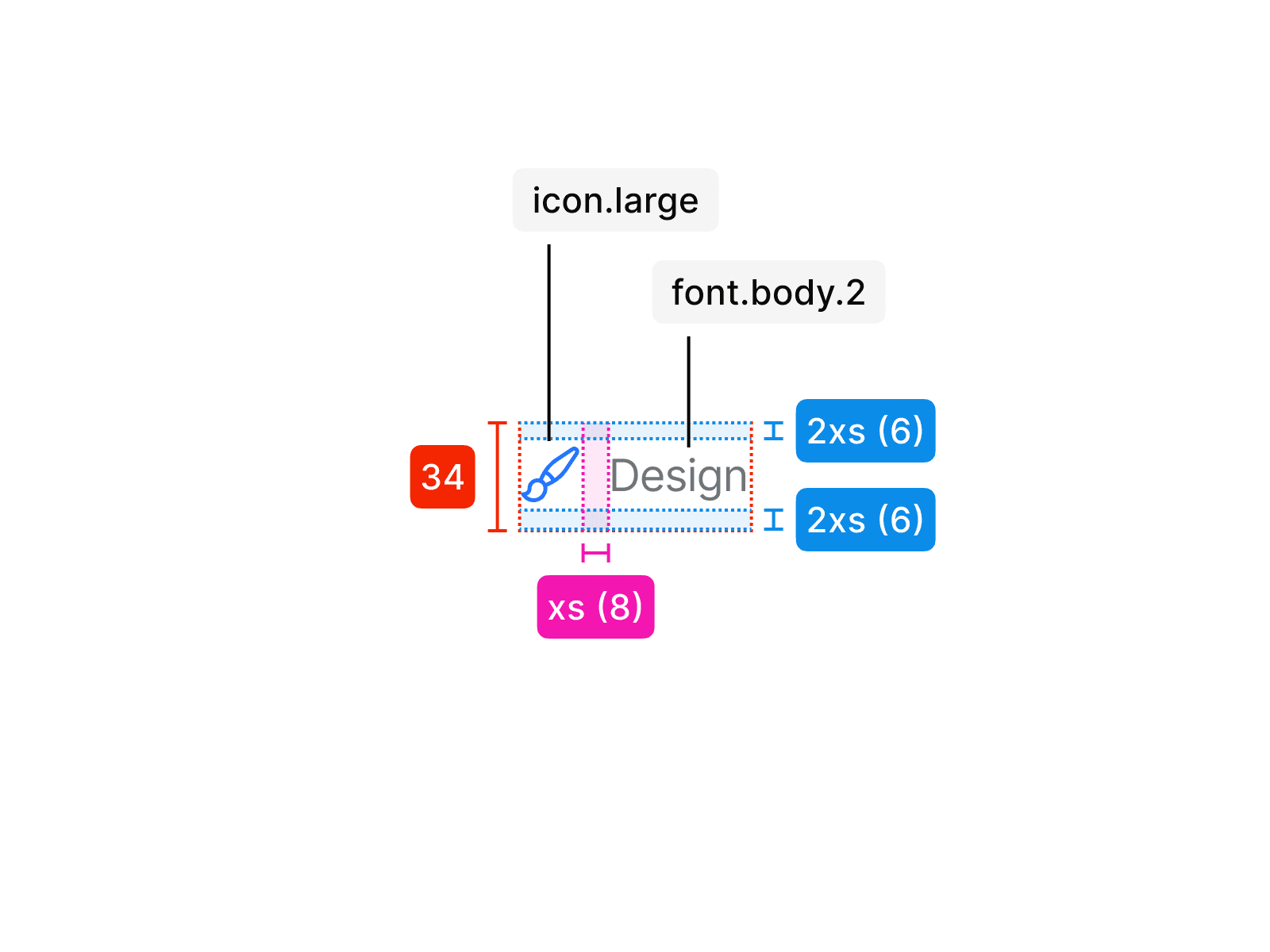
Badge Ghost M
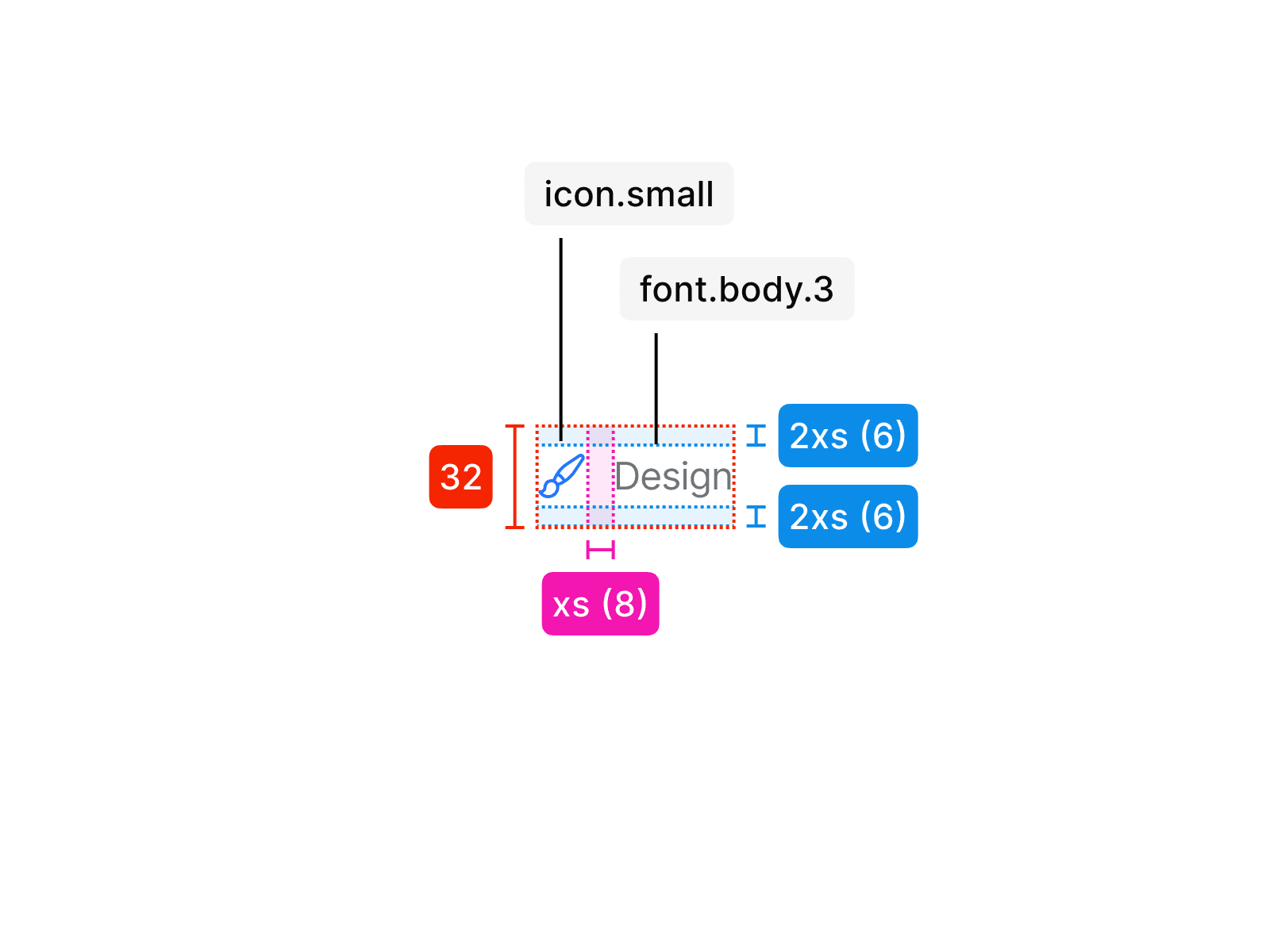
Badge Ghost S
Usage
An info card is used in specific contexts and follows clear rules for consistent application. The examples below show how it should be applied correctly and what to avoid.
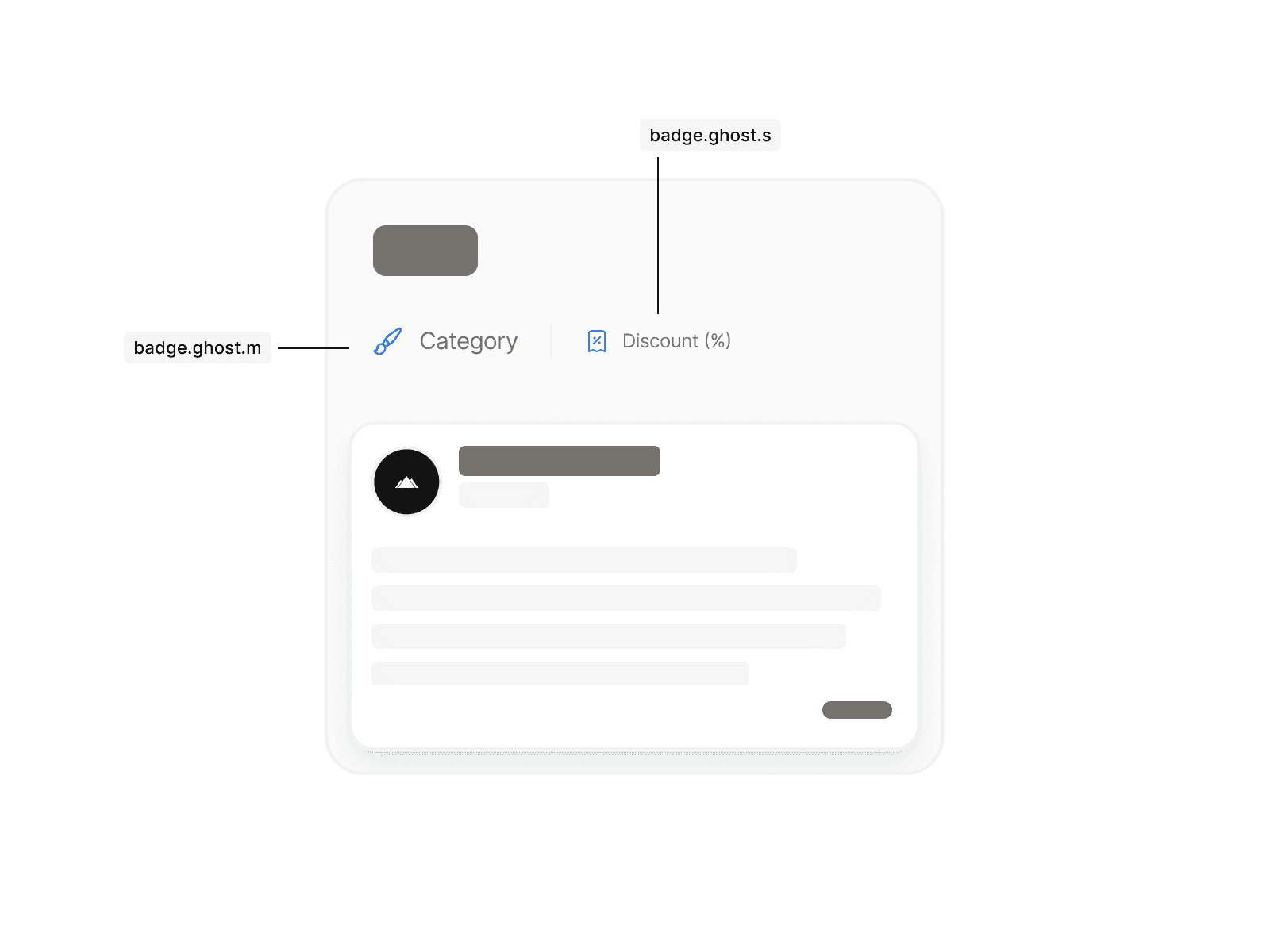
Mixing different badge sizes within the same content area creates visual noise and breaks consistency. Always use a single size to ensure clarity and balance.
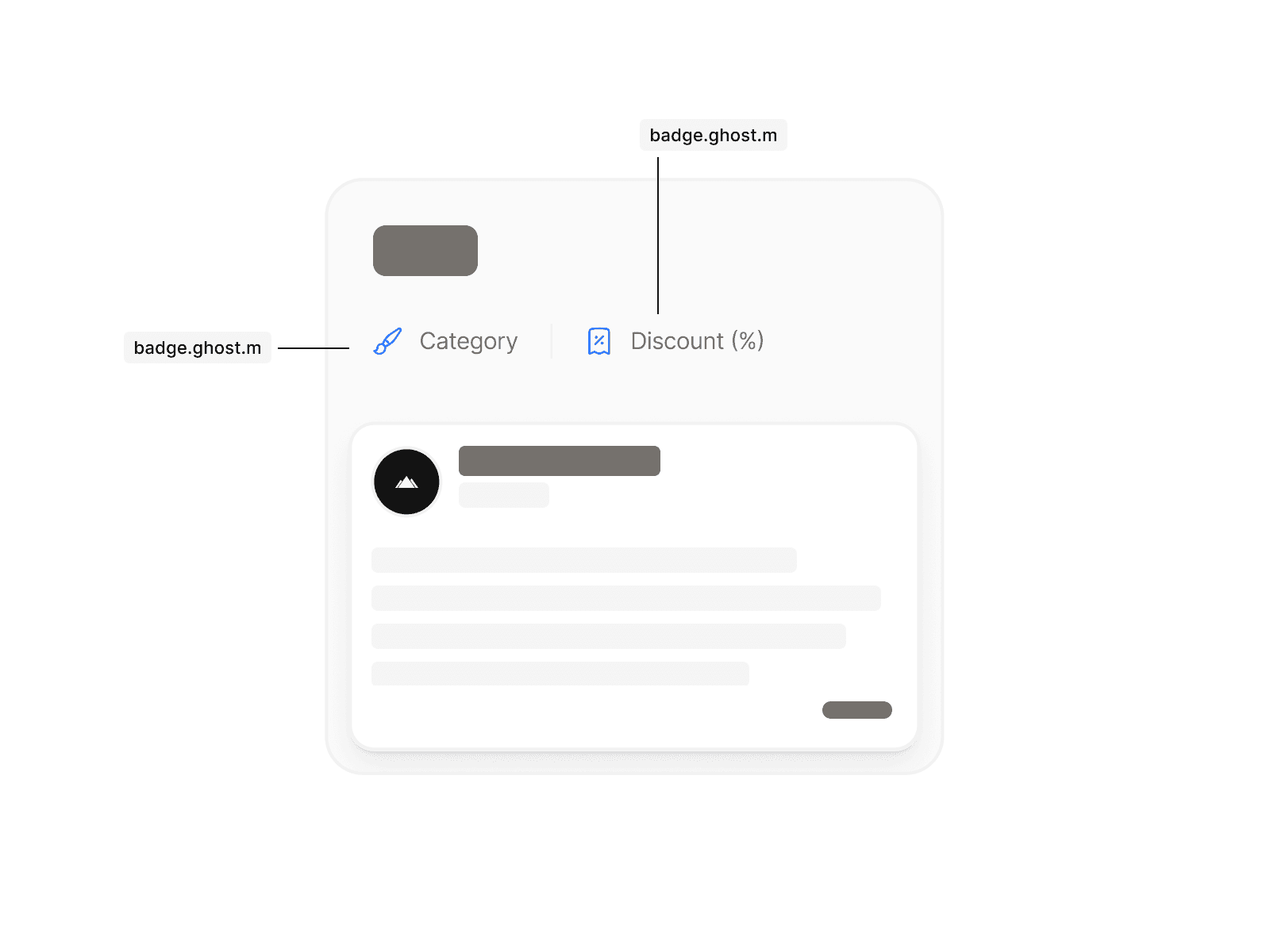
Use consistent badge sizes within the same content area to maintain clarity and hierarchy.
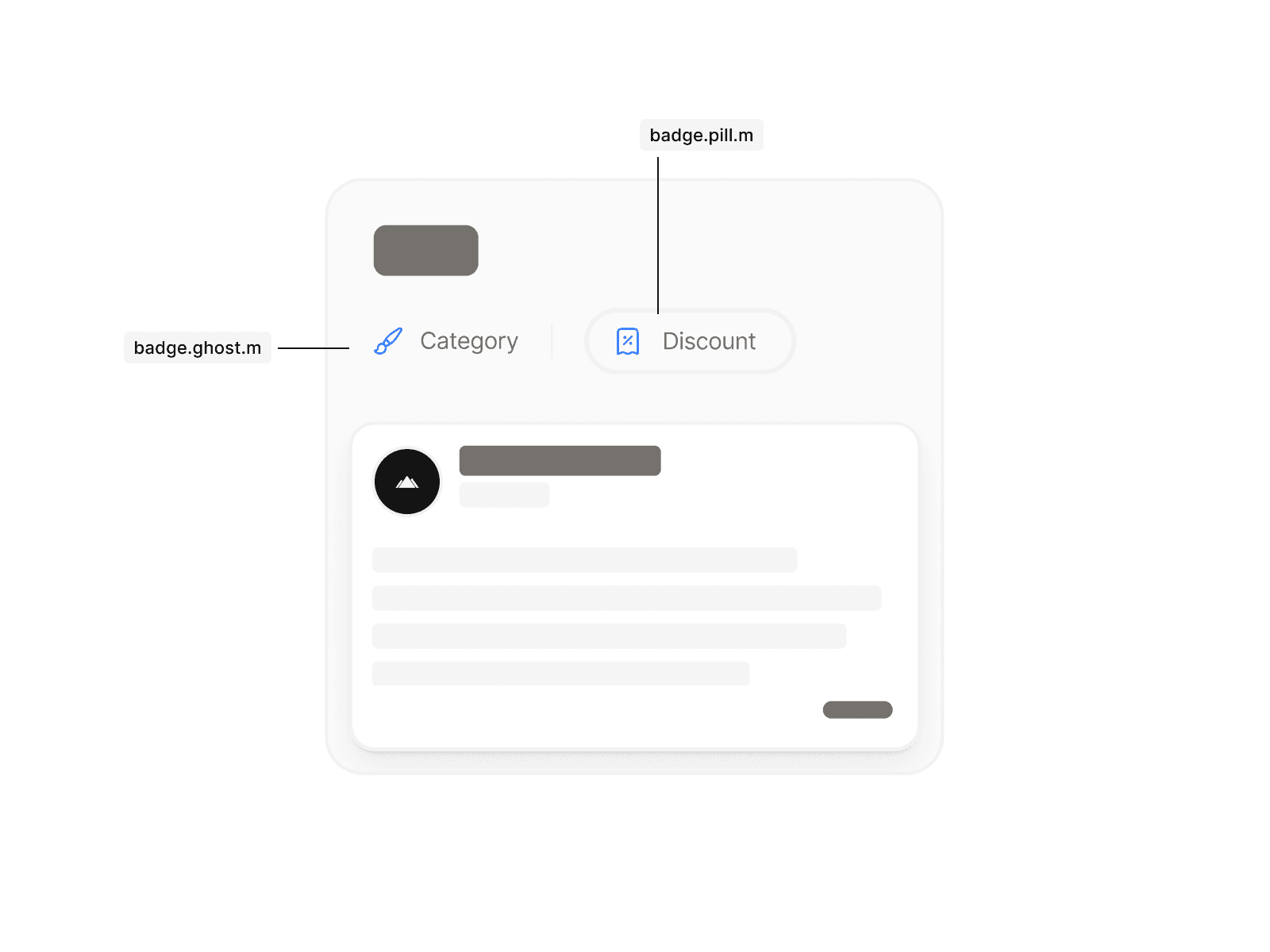
Don’t mix different badge variants within the same content area. Once you decide on either badge.ghost or badge.pill, stay consistent throughout.